
It is genuine
The information was signed by the issuer, whose public key is published in Bisotun's signed list. Forged cards, or cards signed by an unknown key, fail the check.
An organization checks a fact about you once and gives you a signed digital card. You keep it on your phone. When a website needs that fact, you share just that, and the website confirms it is genuine by checking the signature.
An organization that already knows a fact about you because it has checked it: a university's record of your degree, an employer's record of your job, an association's list of members. It puts that fact on a card and signs it with its digital key. Today Bisotun issues the account card every wallet receives, and is preparing a verified email address card; other organizations can issue their own cards on the platform.
Bisotun Wallet keeps your cards on your phone, encrypted and protected by your PIN. It shows you every request before anything happens, and it is the only place from which your cards can be used.
A website or service that needs a fact about you, for example to log you in or to confirm your age. It asks for specific items, and it receives only what you approve, together with a cryptographic proof that the information comes from the issuer and has not been changed.
Verifier: checks the issuer’s signature, without contacting the issuer
The issuer and the verifier do not need to know each other, and the issuer is not contacted when you use a card. What connects them is the issuer's signature and Bisotun's signed list of issuers and card types, which every wallet and server checks.
Your first card arrives on its own: when you set up the app and choose your PIN, the wallet receives its account card, holding a random account ID. Every other card comes from an issuer, and always in the same way:
In its own way: you log in to its website, show a document at a desk, or type a code it sent you. This check is between you and the issuer.
The issuer shows a QR code, or on your phone a link or button, that opens Bisotun Wallet. Some cards can also be requested from the app's Add card list, which will offer the verified email address card first (coming soon).
The wallet shows who is issuing it and exactly what it contains.
Tap Add card. If you decline, nothing is stored.
The card is in your wallet with its expiry date. When it expires, you can get a fresh card from the issuer; the app warns you in advance.
An issuer may also ask you to show a card you already have before issuing a new one, for example a verified email address before a membership card.
You choose "Log in with Bisotun" or a similar button. On a computer the site shows a QR code; on your phone a button opens the app directly.
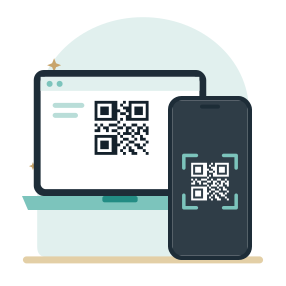
Scan the QR code with Bisotun Wallet. For extra security your wallet may show a short pairing code that you type into the website. This makes sure the QR code on your screen was scanned by you, not by someone else.
The app lists who is asking and which items they want, such as "Email address". If a request offers alternatives, you pick one. Optional items are clearly marked.
Tap Share, or decline. Your wallet only works once unlocked with your PIN, and it may ask for the PIN again at this point. Nothing is sent until you approve.
The website receives the items you approved and a result saying the proof is valid. On your phone, you return to the website automatically.
You can try this today: in the demo, log in to a sample service with your wallet, no password, by sharing your account card. Your own My Bisotun page works the same way. (The demo's email scenario needs the verified email address card, which is coming soon.)
If a website asks for a card you do not have yet, the app tells you and, where the issuer offers the card online, guides you to get it first and then continues with the request.
Every card you receive and everything you share is listed in the Activity tab of the app, on your phone only.
When a verifier receives a valid result, it can rely on four things:
The information was signed by the issuer, whose public key is published in Bisotun's signed list. Forged cards, or cards signed by an unknown key, fail the check.
Changing even one character of a card breaks the signature. The verifier would see an invalid proof.
Using a card needs a secret key on your phone plus a second part held by Bisotun's keyshare server, which cooperates only after checking your PIN. A copied card file on its own is useless.
Every card has an expiry date. Expired cards are rejected, and the app warns you before a card expires.
And one thing for you: only the requested items are revealed. The proof shows that you hold a valid card with those values, without exposing the other information on the card. Each proof is also freshly randomized, so the cryptography itself does not give verifiers a tracking number to recognise you by.
We prefer you know the limits up front:
See it for yourself.